
Shiori
A quiet, native macOS client for WaniKani reviews and lessons.
free · macOS 14 or later · unofficial
A quiet, native macOS client for WaniKani reviews and lessons.
free · macOS 14 or later · unofficial
This window is live: type the answer and press ↩. Readings turn into kana as you go.
Home
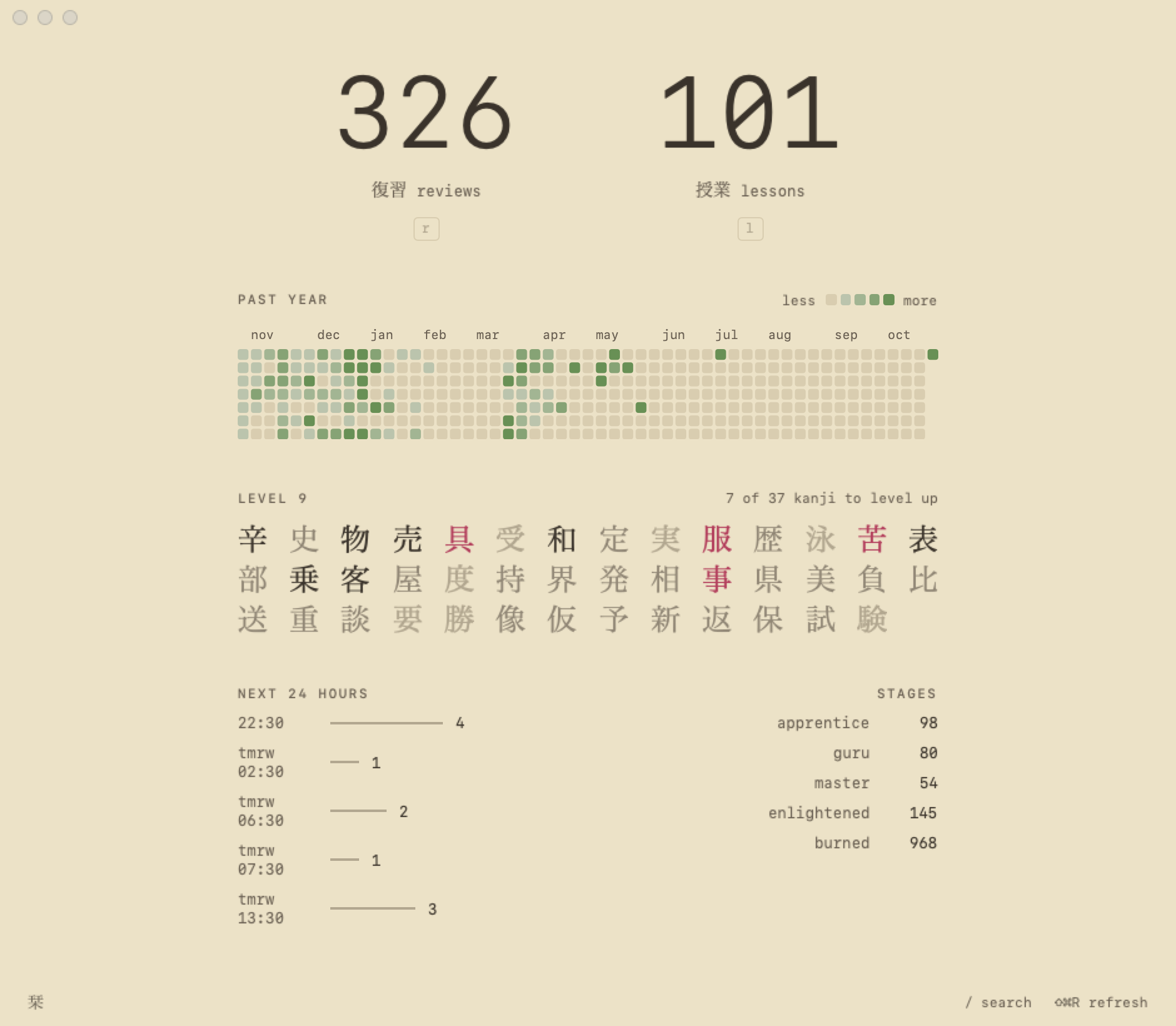
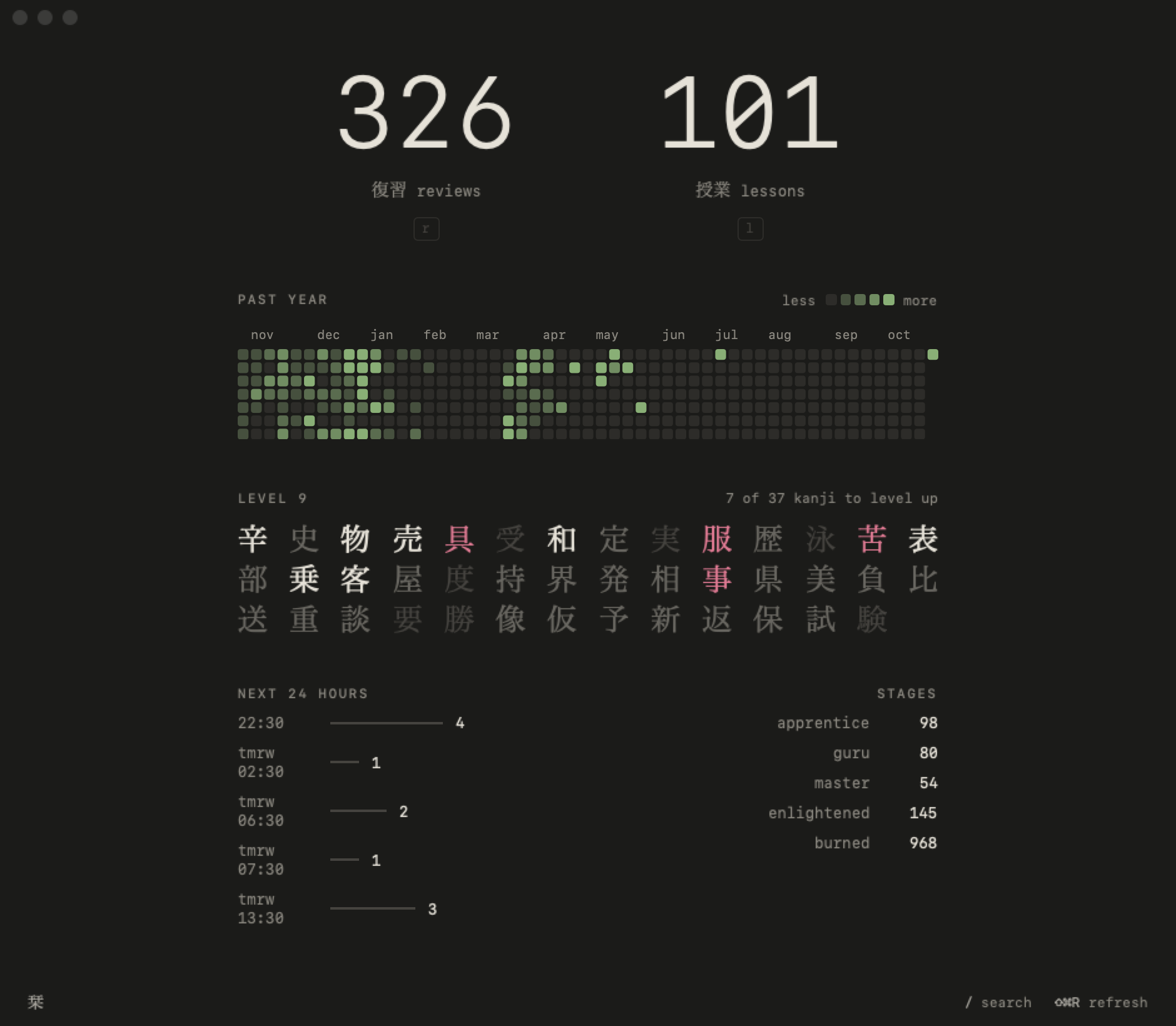
What's due, your past year, this level's kanji and the next 24 hours. Nothing else.
Kana as you type
Readings turn into kana while you type: nn or n' for ん, doubled consonants for っ. No IME to switch.
WaniKani's rules
Typo tolerance, your synonyms, and a gentle shake instead of a miss when you give the on'yomi for a kun'yomi.
The past year
A square a day, greener the more you studied. Hover a day for its count.
Inked in as they pass
This level's kanji: faint while locked, red while you learn them, ink once they pass.
Browse everything
Every subject, level by level. Search in kanji, English, kana or romaji, and open any item from a summary.
Quiet banners
A notification when new reviews arrive, even with Shiori closed. Never while it's in front.
Keyboard first
Install
Shiori builds from source in about a minute, straight into /Applications. It needs macOS 14 or later and the Xcode Command Line Tools (xcode-select --install).Builds from source in a minute.
macOS 14+ and Xcode Command Line Tools.
git clone https://github.com/theakshaym/shiori-for-wanikani.git
cd shiori-for-wanikani
./scripts/build.sh --install
Then open Shiori and paste an API token from wanikani.com → Settings → API Tokens. To submit answers it needs reviews:create and assignments:start. It's kept in your Keychain.Then open Shiori and paste
a WaniKani API token.